
- Go to Inbound Screen
- Click on Manual/Automation Orders Process
- Select the Select Receipt/DRD from the drop-down
- Click on Scan Licence Barcode
- Scan Licence Plate Barcode
- Select Automation OR Manual
- Select the product and select the Expiration Date
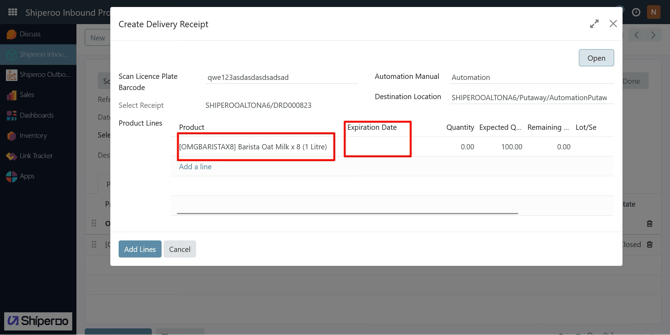
- After selecting the Expiration Date the Lot/Serial Number will display
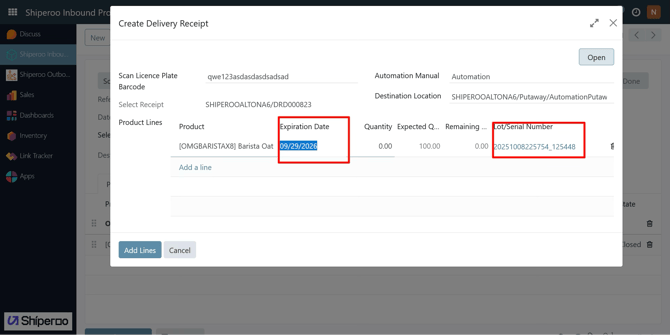
- After selecting the Expiration Date the Lot/Serial Number will display
- Receive the quantity
- Go to Automation Decanting process
- Receive the product in tote
- Close the tote